Joining Experiments
This guide explains how to join experiments on the HyperStudy platform. As a participant, you'll typically receive an invitation to take part in an experiment, which you can join at the scheduled time or sometimes at your convenience.
Finding Available Experiments
There are several ways you might be invited to participate in an experiment:
Direct Invitations
The most common way to join an experiment is through a direct invitation:
- You'll receive an email with an invitation link
- The email will typically include:
- Experiment name and brief description
- Scheduled date and time (if applicable)
- Name of the researcher/laboratory
- Participation link
- Any preparation instructions
Participant Dashboard
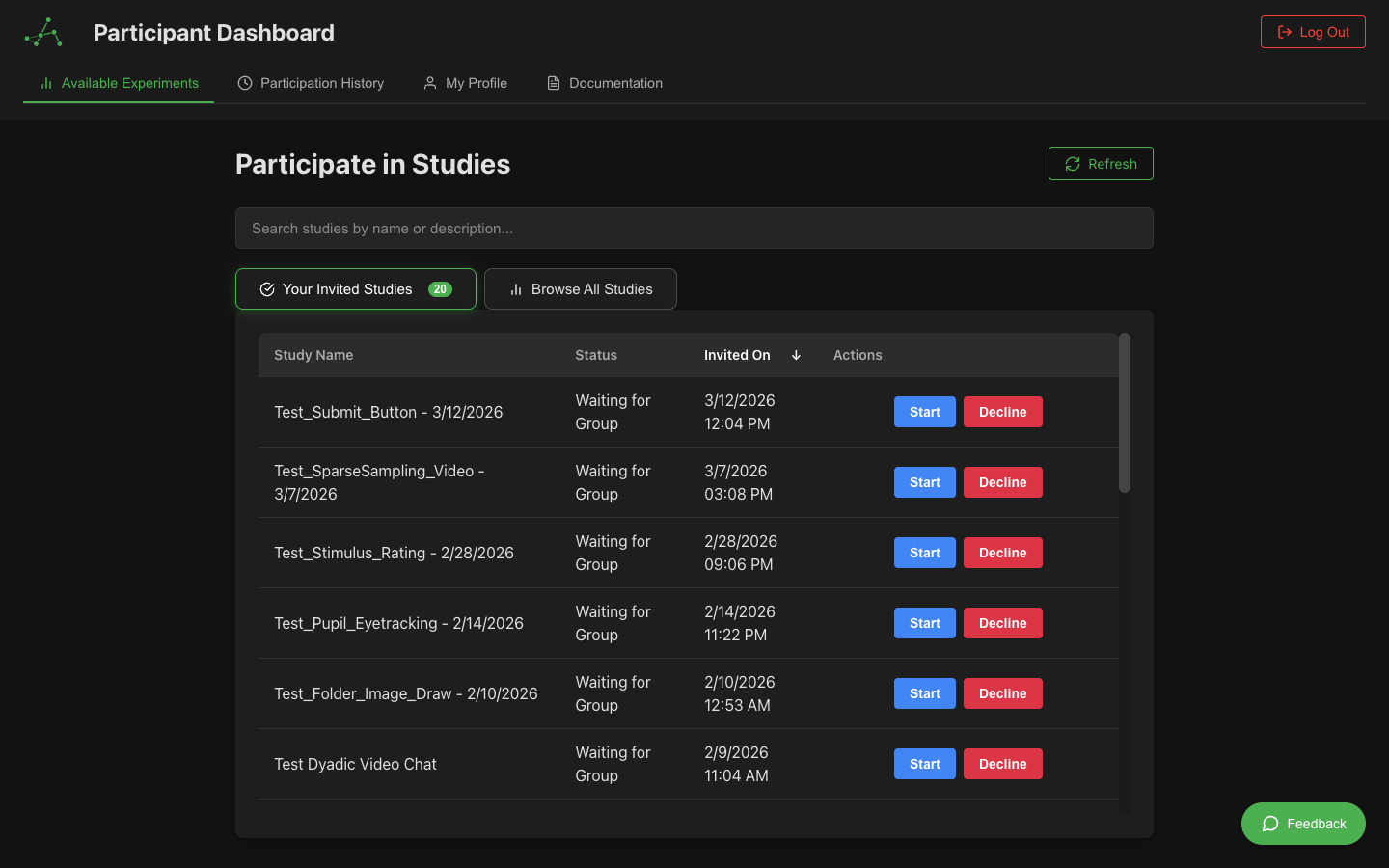
If you already have an account, you can also find available experiments on your dashboard:
- Log in to your participant account
- On your dashboard, look for the "Available Experiments" section
- You'll see a list of experiments you've been invited to
- Click on an experiment to view details and join
Public Experiments
Some experiments may be open to public participation:
- These may be accessible through a publicly shared link
- You might find them listed on a research laboratory's website
- They could be promoted on participant recruitment platforms
- You may still need to register before participating
Scheduling and Timing
Experiments have different scheduling requirements:
Scheduled Experiments
Many experiments happen at specific times:
- Your invitation will include the scheduled date and time
- You'll typically receive a reminder email before the scheduled time
- You should join a few minutes early to set up your devices
- If you can't make the scheduled time, contact the researcher as soon as possible
Self-Paced Experiments
Some experiments can be completed at your convenience:
- These have flexible timing within a broader availability window
- You can start when you're ready during the available period
- Once started, you may need to complete the entire experiment in one session
- The invitation will indicate the estimated duration
Waiting Room Experiments
For experiments with multiple participants:
- Participants join a waiting room before the experiment starts
- The experiment begins when all required participants are present
- You may see a countdown timer when the room is filling up
- If you leave the waiting room, your spot may be given to another participant
Joining an Experiment
From Your Dashboard
To join from your dashboard:
- Log in to your participant account
- Find the experiment under "Available Experiments"
- Click the "Join" or "Enter" button next to the experiment
- You'll be taken to the experiment entry point
Joining a Scheduled Session
For experiments with specific times:
- Join at or slightly before the scheduled time
- Have your device and environment ready
- Complete any pre-experiment setup (device testing, etc.)
- Be prepared to stay for the entire duration
Pre-Experiment Setup
Before the experiment begins, you may need to complete some setup steps:
Device Testing
We strongly recommend using the Device Tester before your scheduled experiment time to ensure everything is working properly. See our Device Testing Guide for detailed instructions.
During experiment setup, you may see an integrated device test:
- You'll see a device testing screen
- Follow the instructions to test your:
- Camera (if required for the experiment)
- Microphone (if required for the experiment)
- Speakers/headphones
- Internet connection stability
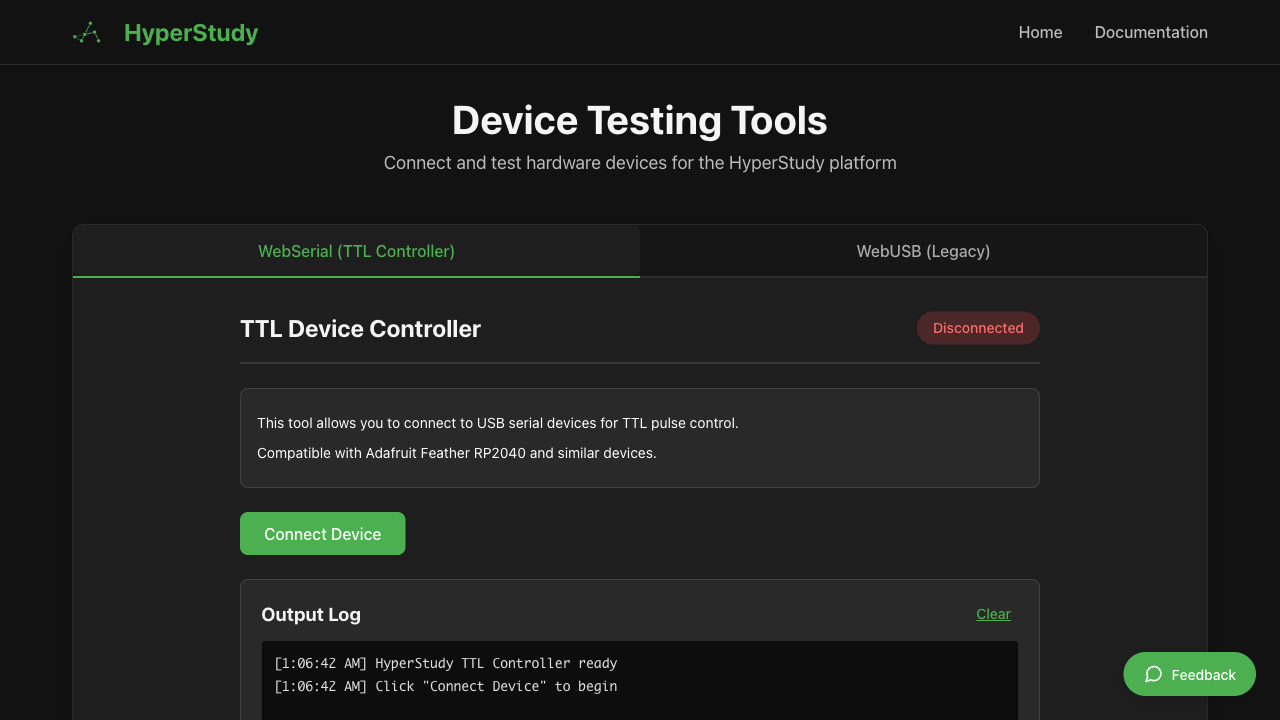 HyperStudy Device Tester interface
Browser Permissions
You'll need to grant the necessary permissions:
- Your browser will prompt for permission to access your camera and microphone
- Click "Allow" when prompted
- If you accidentally deny permissions, refresh the page and grant permissions when prompted
Environment Check
Some experiments may ask you to:
- Adjust your lighting so your face is clearly visible
- Find a quiet location to minimize background noise
- Position your camera at eye level
- Close other applications that might cause distractions
- Turn off notifications on your device
The Waiting Room
After setup, you'll often enter a waiting room:
In the waiting room:
- You'll see who else has joined (if the experiment involves multiple participants)
- There may be a countdown timer showing when the experiment will begin
- You might see instructions or orientation information
- You can test that your audio and video are working properly
- You'll be automatically moved to the experiment when it begins
Experiment Participation
Once the experiment begins:
- Follow on-screen instructions carefully
- Complete tasks as directed
- Respond honestly to questions
- Stay focused and avoid distractions
- Communicate with other participants if required
The experiment will consist of different states or phases, each with specific activities or tasks to complete.
Communicating with the Research Team
Some experiments include a built-in messaging system that lets you communicate with the research team during the experiment:
- Help button: If enabled by the experimenter, a floating Help button appears in the bottom-right corner of the screen. Click it to open a message form where you can type a question or report an issue. The research team will see your message in real-time.
- Experimenter messages: The research team may send you messages during the experiment. These appear as a banner at the top of your screen, labeled Experimenter. Banners dismiss automatically after 10 seconds, or you can close them early by clicking the close button.
Not all experiments have messaging enabled — if you don't see a Help button, the experimenter has not activated this feature. In that case, refer to the contact information in your invitation if you need assistance.
Leaving an Experiment
Normal Completion
Most experiments have a clear ending:
- You'll reach a completion screen
- There may be debriefing information
- You might be asked to complete a post-experiment questionnaire
- Click any "Complete" or "Finish" buttons as directed
Early Exit (If Necessary)
If you absolutely must leave early:
- Look for an "Exit" button if available
- If none exists, you can close the browser tab
- Be aware that leaving early may impact:
- Your compensation (if applicable)
- The experience of other participants
- The research data quality
Technical Issues
If you encounter technical problems:
- Try refreshing the page if the interface stops responding
- Use the Help button (bottom-right corner) to message the research team, if available
- Check your internet connection
- If you can't continue, contact the researcher using the information in your invitation
After the Experiment
After completing an experiment:
- You may receive a confirmation of completion
- Look for information about compensation (if applicable)
- You might be asked to participate in follow-up experiments
- Your dashboard will show your participation history
Privacy and Data
During experiments:
- Your responses will be recorded according to the research protocol
- Your video/audio may be recorded if specified in the consent form
- All data collection should be clearly disclosed before you begin
- You can typically withdraw consent at any time
Common Issues and Solutions
| Issue | Solution |
|---|---|
| Can't access the experiment link | Check if you're logged in; try copying and pasting the link |
| Camera/microphone not detected | Check browser permissions; try a different browser |
| Waiting room doesn't advance | Refresh the page; check if other participants have joined |
| Disconnected during experiment | Rejoin using the same link; contact researcher if issues persist |
| Can't hear other participants | Check your volume; select the correct audio output device |
Next Steps
Now that you know how to join experiments, explore these related topics: