Getting Started as an Experimenter
Welcome to the HyperStudy platform. This guide will walk you through the basics of setting up and designing experiments for participant interactions.

What is HyperStudy?
HyperStudy is a platform designed for researchers conducting social interaction experiments with synchronized media viewing and real-time video chat. It allows you to:
- Design multi-stage experiments with various interactive components
- Synchronize media content precisely across all participants
- Record high-quality video and audio of participant interactions
- Collect responses through various input methods
- Manage participant assignments and roles
Creating Your Account
To get started as an experimenter, you'll need an experimenter account.
Registration Process
- Visit hyperstudy.io/auth/experimenter
- Click "Create Account" to begin registration
- Fill out the registration form with:
- Your full name
- Professional email address
- Secure password
- Institution/Organization (optional)
- Complete email verification when prompted
- Wait for admin approval of your experimenter account
Experimenter accounts require admin approval to ensure platform security and appropriate use. You will receive an email notification once your account has been approved. This typically takes 1-2 business days.
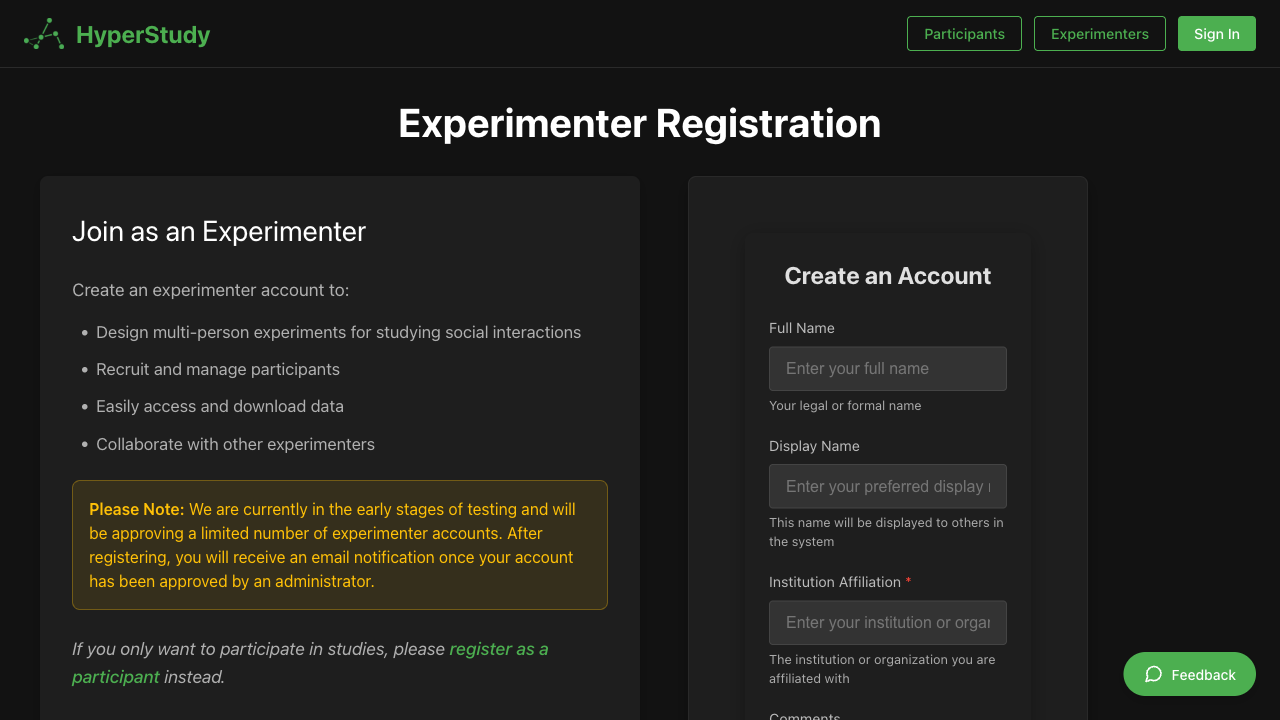 Experimenter registration and login screen
The Experimenter Dashboard
Once your account is approved, you'll have access to the Experimenter Dashboard.
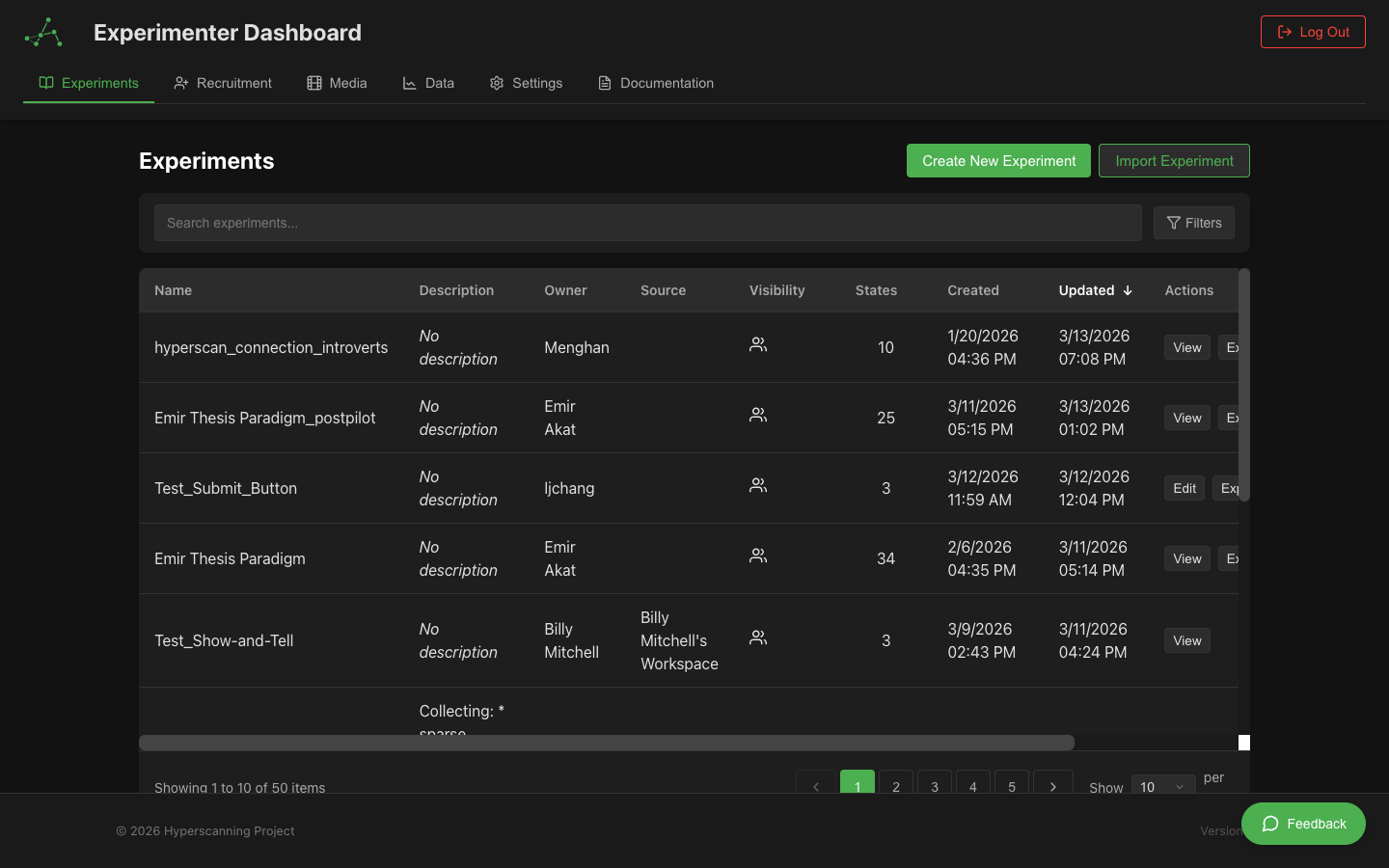
The dashboard includes:
- Experiments Panel: List of all experiments you've created or have access to
- Media Library: Access to images and videos for use in experiments
- Participant Management: Tools for managing and assigning participants
- Profile Settings: Manage your experimenter profile information
Key Concepts
Before designing your first experiment, it's helpful to understand these core concepts:
States and Flows
Experiments are organized into states. Each state represents a distinct phase of the experiment with specific components and interactions. States flow sequentially. The visibility of global states can be selectively toggled for any experimental state.
Experimantal vs. Global States
- Experiment Statess: The main interactive element for a specific state (e.g., a video, text, or image)
- Global States: Elements that can persist across multiple states (e.g., video chat, text chat, continuous rating sliders)
Roles
Participants can be assigned different roles within an experiment, each with unique:
- View configurations
- Available components
- Data collection parameters
Variables
Variables store and track data throughout the experiment. They can be:
- Pre-defined at experiment setup
- Collected from participant inputs
- Modified as the experiment progresses
- Used for controlling experiment flow
Creating Your First Experiment
- From your dashboard, click "New Experiment"
- Enter a name and description for your experiment
- Configure basic settings, including:
- Maximum participants
- Duration
- Default roles
- Click "Create" to enter the Experiment Designer
Next Steps
Now that you understand the basics, you're ready to dive deeper into experiment design: