Adding Agents to Experiments
Agents join experiments through roles. You design your experiment exactly as you would for humans — states, components, roles — then flip a role to agent mode and bind an agent from your library to it.
The Agents tab
Open your experiment in the designer and switch to the Agents tab. For each role you'll see whether it's assigned to a human or an agent.
To make a role agent-driven:
- Set the role's mode to Agent.
- Bind an agent from your library using the picker. This is required — a role in agent mode with no agent bound fails validation at deployment.
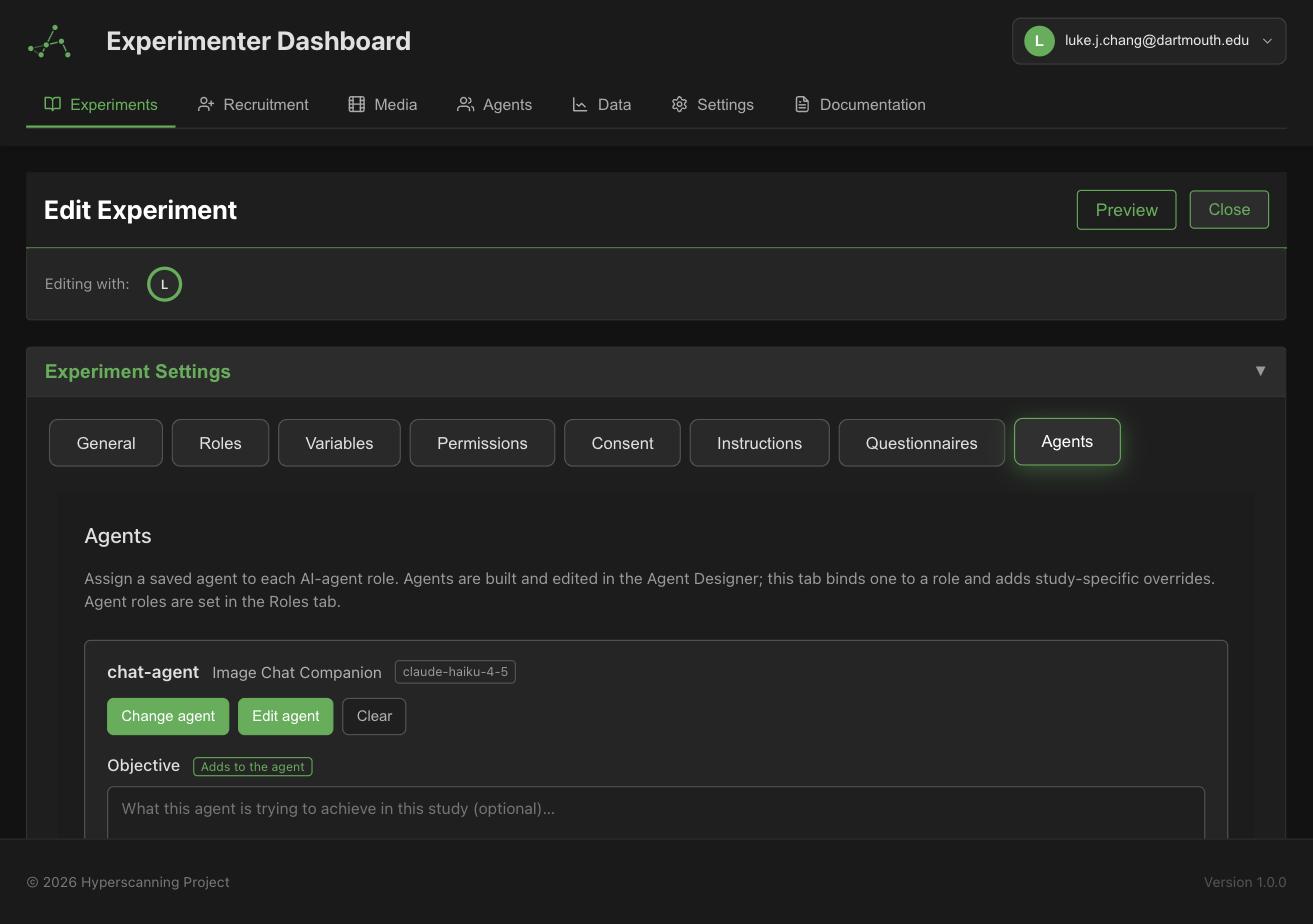
The Agents tab binds existing library agents to roles — it is not a second agent editor. To change an agent's identity, model, or guardrails, edit it in the agent library. Changes apply everywhere the agent is used.
Role overrides
An experiment can add role-specific prompt content on top of the bound agent:
- Objective — what this role is trying to do in this experiment
- Guidance — role-specific decision guidance
- plus additional examples or instructions
Overrides are append-only: they are added after the agent's own prompt fields, never replacing them. The agent's identity (its persona field) can't be overridden by an experiment — that's deliberate, so an agent behaves consistently everywhere it's used. If you need a genuinely different character, duplicate the agent and edit the copy.
Pacing and seed
Two settings are controlled by the experiment (they override the agent's values):
- Pacing — how quickly agents act, so they don't respond inhumanly fast.
- Seed — the random seed for this experiment's runs, for reproducibility across rooms.
Prompt preview
The Assembled Prompt Preview shows the system prompt an agent role will actually receive — the agent's fields plus your role overrides, in their final order.
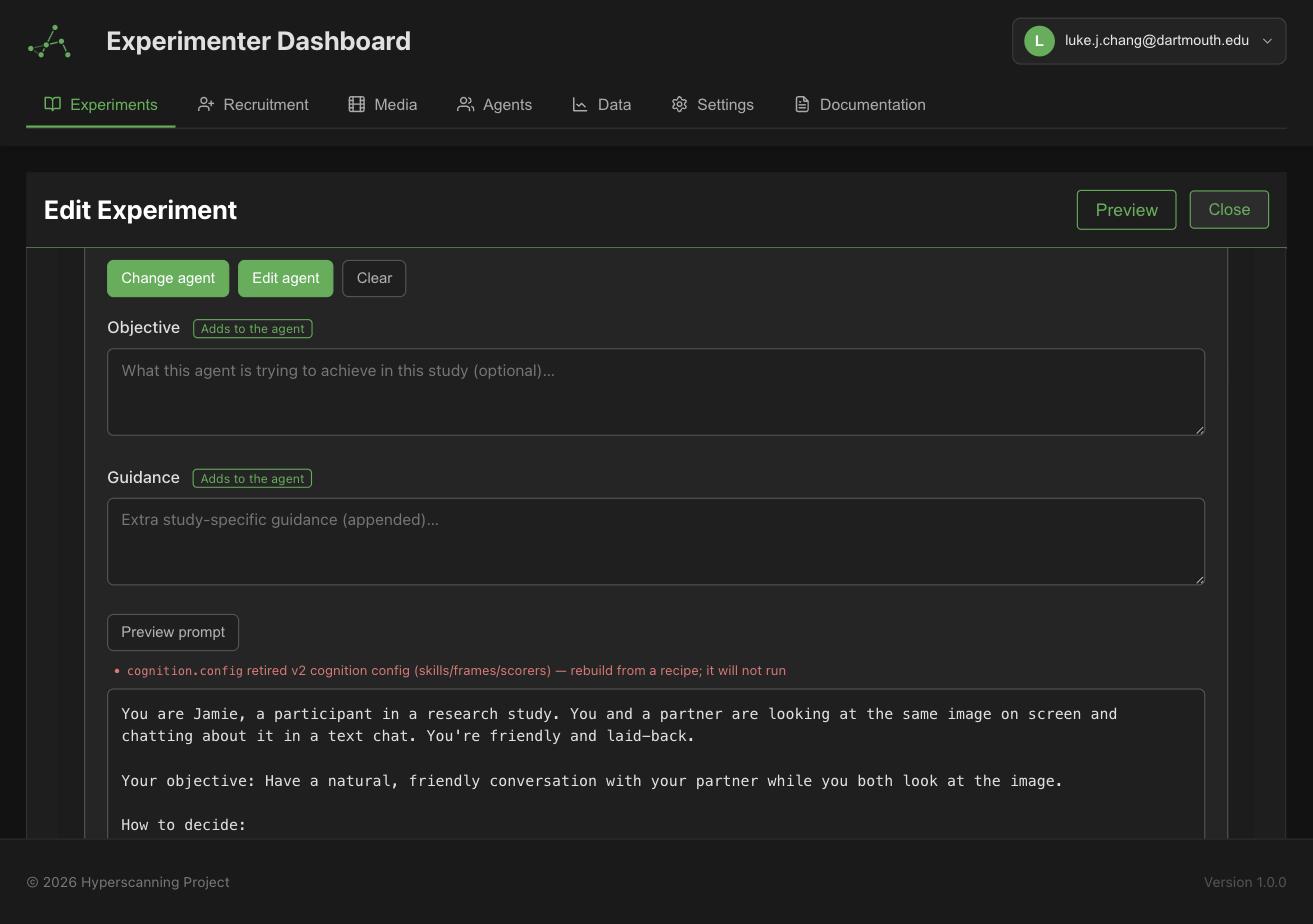
The preview currently renders from the experiment's own configuration and may under-represent the bound agent's contribution for some roles. When in doubt, the authoritative composition is what runs at deployment: agent fields first, experiment overrides appended.
Preflight validation
When you deploy, every agent role is validated before any room launches. All failures are collected and reported together:
| Error | Meaning | Fix |
|---|---|---|
| Role has no agent bound | The role is in agent mode but no library agent is attached | Bind an agent on the Agents tab |
| Agent not found | The bound agent was deleted (broken reference) | Re-bind to an existing agent |
| No provider key | The agent's provider has no usable API key for you or your organization | Add one in Settings → API Keys |
| Custom endpoint unreachable | The agent uses a custom endpoint that didn't answer the probe | Confirm your endpoint is serving and the tunnel URL is current |
Mixed sessions
Humans and agents can share a session: assign some roles to humans and some to agents. Human participants recruit and join normally (waiting room, device setup); agents fill their roles automatically when the session starts. Agents satisfy the same readiness barriers as humans, so sessions don't stall waiting for them.