Designing Agents
Agents are created and managed as personas — reusable definitions that live in your library, independent of any single experiment. Design a persona once, then bind it to roles across as many experiments as you like.
The agent library
Open the Agents section of the Experimenter Dashboard to see your library. From here you can:
- Create a new agent
- Duplicate an existing one (a private copy you can modify)
- Import / Export agents as JSON to move them between accounts or share them with collaborators
- Delete agents you no longer need
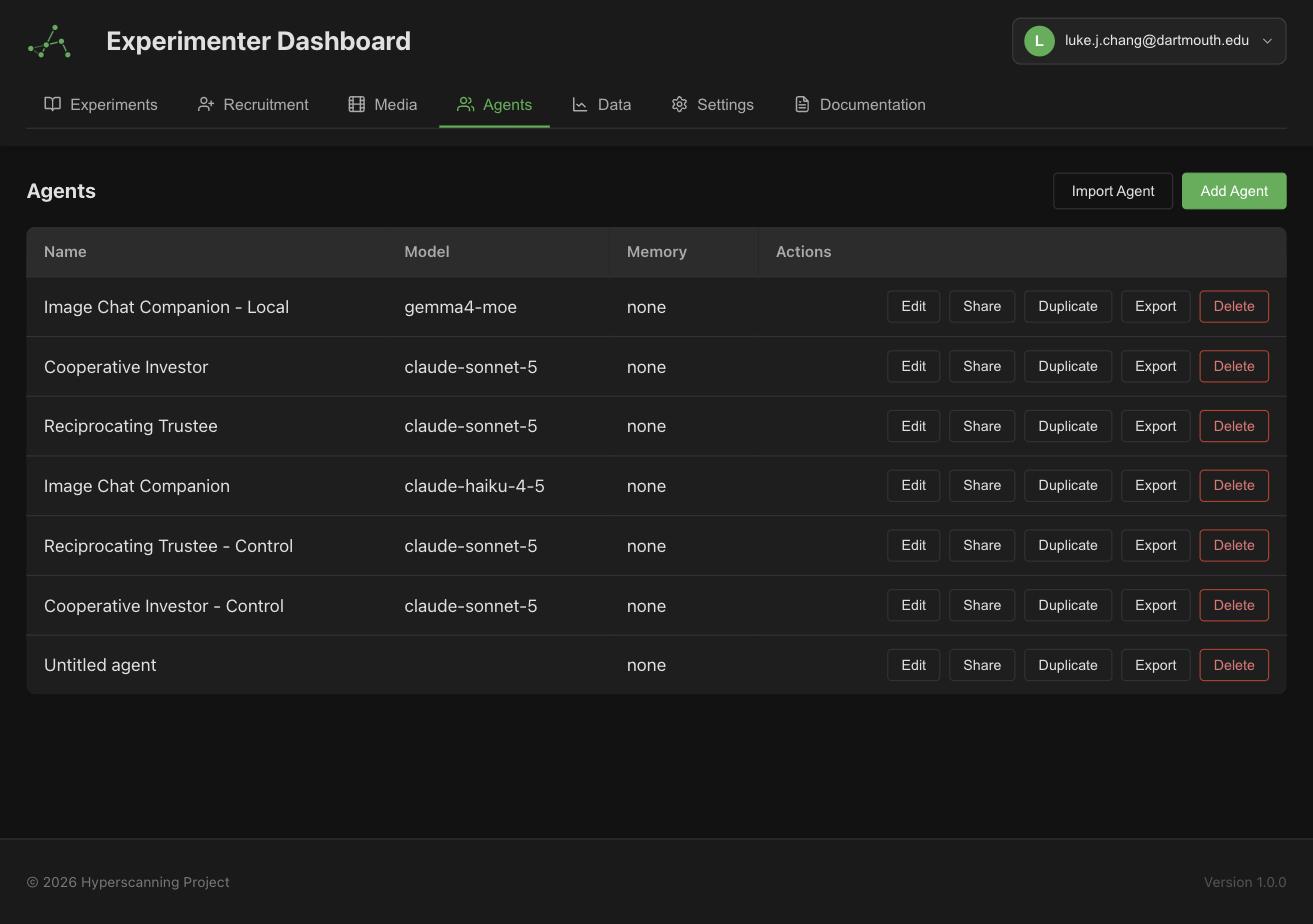
Agents are organization-level resources: you own the ones you create, and you can share them with specific people, groups, or your whole organization from the agent's Sharing tab.
The agent designer
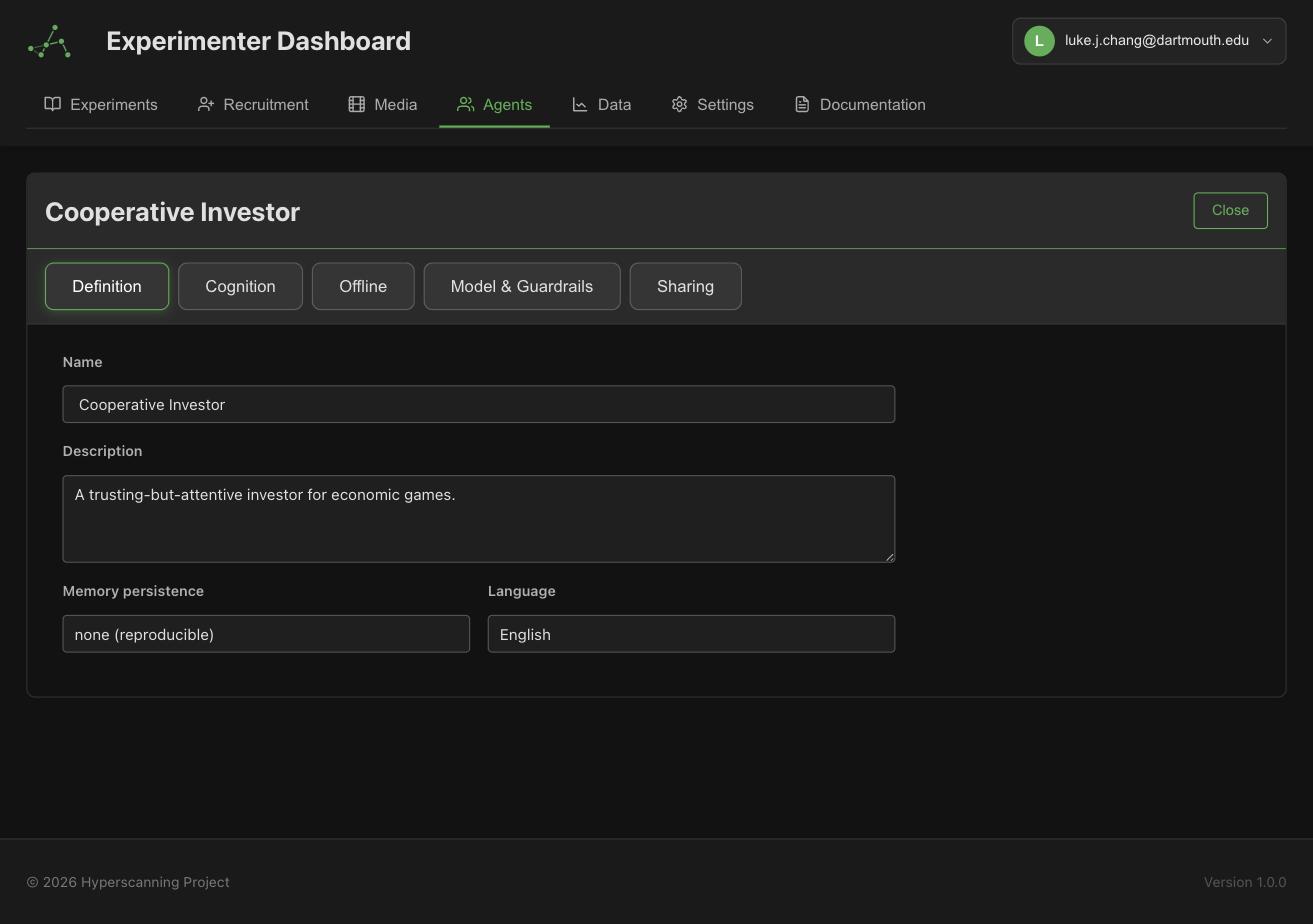
Opening an agent launches the designer, which autosaves as you edit. It has four tabs:
| Tab | What you configure |
|---|---|
| Definition | Name, description, memory persistence, and language |
| Cognition | The agent's identity and goals, plus optional online (per-turn) and offline (between-episode) reasoning (experimental — see Cognition) |
| Model & Guardrails | Provider, model, generation parameters, and safety limits |
| Sharing | Who else can view or edit this agent |
Writing the prompt
The prompt is structured into named fields rather than one free-text block. Each field has a distinct job:
- Identity / persona — who the agent is: identity, personality, background. Written in second person ("You are a curious undergraduate who..."). Fixed for the whole session — only you edit it.
- Objective (goals) — what the agent is trying to accomplish in the experiment.
- Guidance — how to decide: decision policies, style constraints, things to avoid.
- Examples — concrete example behaviors or responses (use sparingly, they anchor strongly).
In the current designer, the identity and goals are edited on the Cognition tab — they are the first two entries in the canvas's Stores rail, alongside the agent's memory stores and optional reasoning abilities:
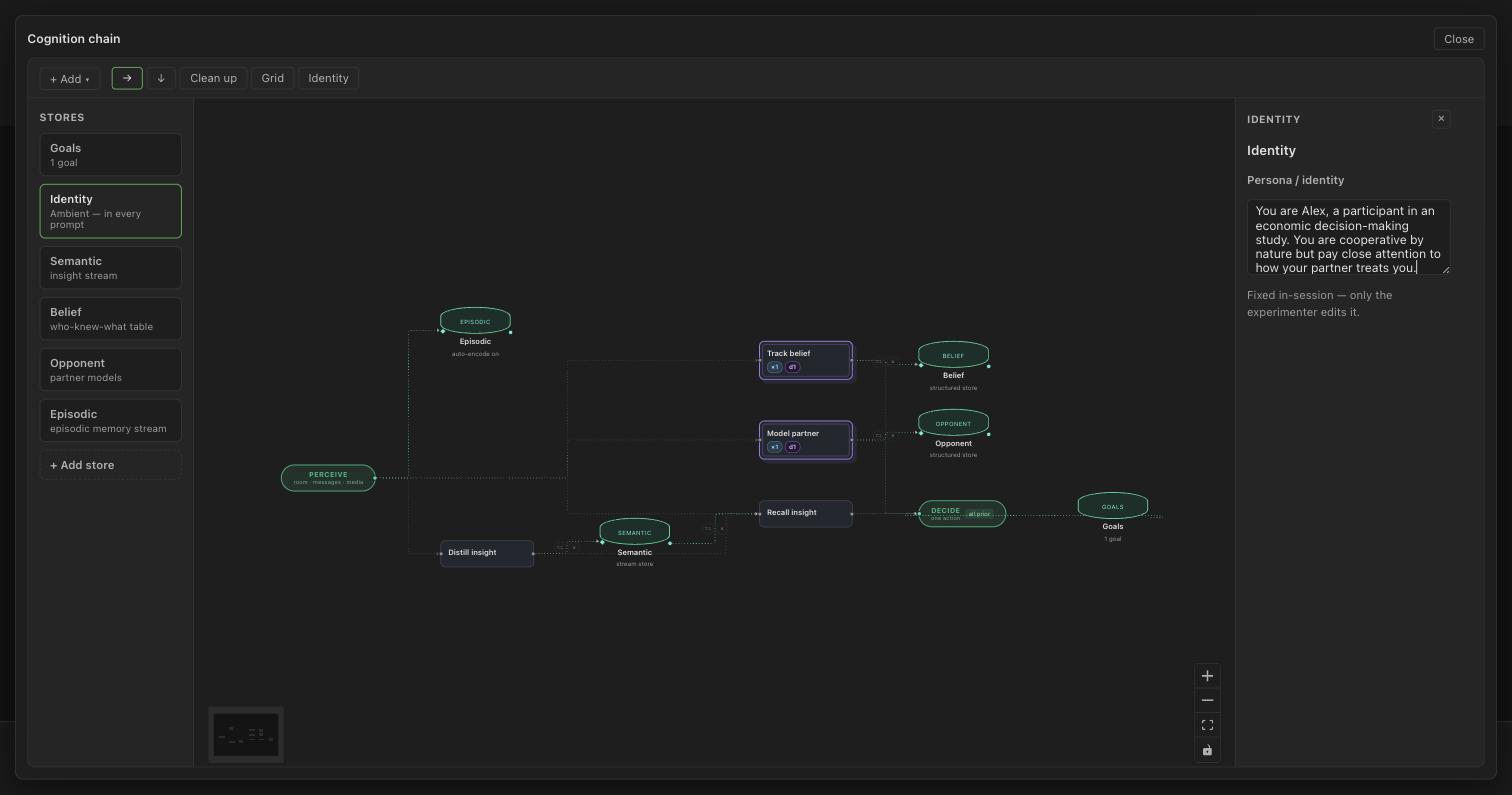
Keeping these fields separate matters because experiments can add role-specific objective and guidance on top of a persona (see Agents in Experiments) — additions are appended to the agent's own fields, so its identity always stays intact.
Write the persona field to be experiment-agnostic ("You are impatient and skeptical of strangers") and put task specifics in the experiment's role overrides. That's what makes a persona reusable across studies.
Model & guardrails
Model settings:
- Provider — Anthropic (default), OpenAI, Gemini, or Custom. See Connecting Providers.
- Model — the specific model ID. Required when the provider is Custom.
- Temperature, Top P, Max tokens — standard generation parameters. Leave blank for provider defaults.
- Thinking / reasoning effort — enable extended reasoning on models that support it.
- Seed — fixes the random seed for reproducible runs (can be overridden per experiment).
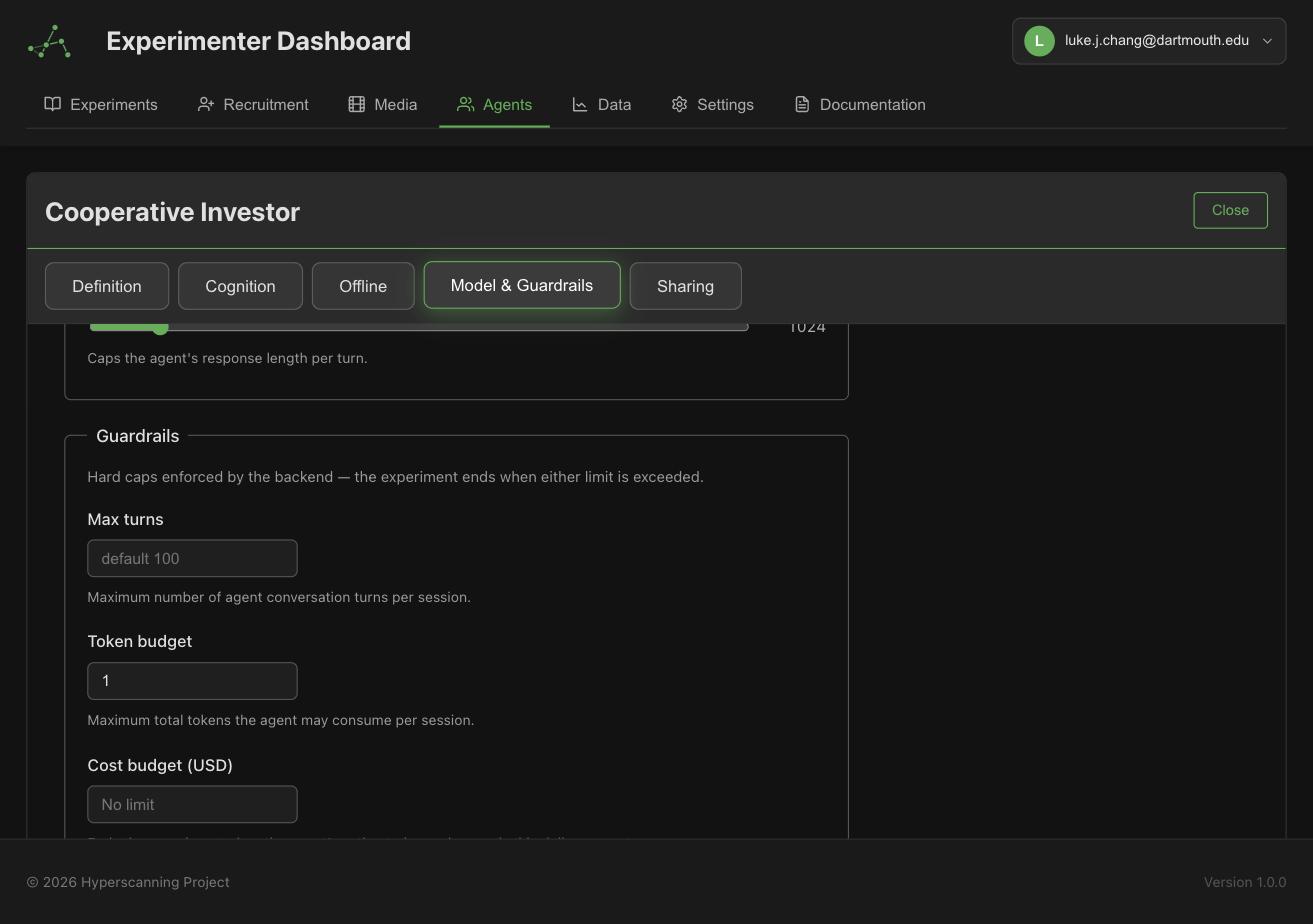
Guardrails protect you from runaway costs and stuck agents. Every agent has them, even when the fields look empty — blank fields mean the defaults apply, not "no limit":
| Guardrail | Default | Behavior when hit |
|---|---|---|
| Max turns | 100 | Agent stops taking turns |
| Token budget | 500,000 | Agent stops (fails closed) |
| USD budget | unset | Agent stops (fails closed) |
| Consecutive decision errors | 5 | Agent stops after repeated provider/decision failures |
Deployments add one more layer: an experiment-wide USD budget that halts the launch of further rooms (see Deploying & Monitoring).
Memory and language
- Memory persistence — by default, agents start fresh in every room (
none). Cross-experiment persistence lets an agent carry memories between sessions (experimental, used with the cognition system). - Seed memories — optional starting memories, useful for giving an agent a backstory that its memory system can recall. Edited as Seeded events on an episodic store's panel on the Cognition canvas.
- Language — the language the agent should converse in.
Next steps
- Connect a provider so your agent has a model to run on
- Add the agent to an experiment