HyperStudy Annotator
The HyperStudy Annotator is a desktop app for describing what happens in a video, second by second. It runs the HyperStudy Perception pipeline on a video to find its shots, a word-timed transcript, the people on screen and who is speaking, objects, sounds and a caption for each shot. You then check and correct what the models found, add annotations of your own, and export the result as one JSON file.
The app has three pages, on the rail at the left:
- Extract runs the pipeline on a video, on this computer, a lab server or a cloud GPU. See Extract a video.
- Annotator is where you review, correct and annotate a video. See Review and annotate.
- Settings holds the models' defaults, your keys and the machines runs can use. See Settings.
A run keeps going while you work on another page.
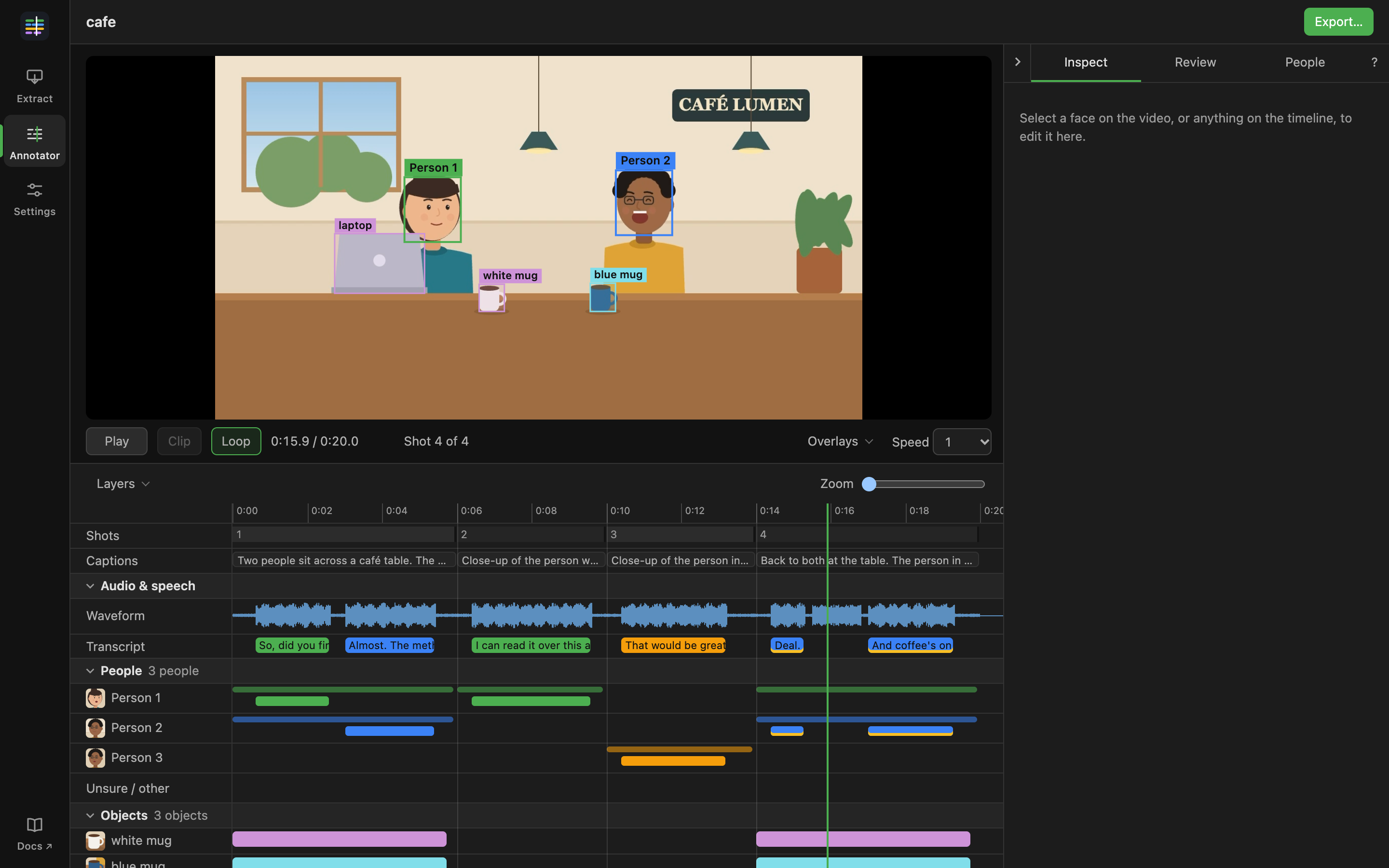
The screenshots in these pages show a short drawn video made for them, and what the pipeline would find in it.
Download
The app runs on macOS 12 or later on Apple silicon, and on 64-bit Linux (x86_64). There is no Windows or Intel Mac build yet.
Installing
macOS: open the DMG and drag HyperStudy Annotator to Applications. The app is signed and notarized by Apple.
Linux: on Ubuntu or Debian, install the .deb with sudo apt install ./HyperStudy-Annotator-*.deb. Elsewhere,
make the AppImage executable and run it:
chmod +x HyperStudy-Annotator-*.AppImage
./HyperStudy-Annotator-*.AppImage
The first launch
You do not need Python or anything else installed. On its first launch the app installs the perception pipeline and the Python it runs on into its own folders. It then sets up each step's packages and model weights in the background. That is a few gigabytes and happens once. Extract shows its progress, and Start run waits until it is done.
At every launch the app checks for a newer version of the pipeline and installs it. Offline, it uses the one already installed.
Updating
The app checks for a new version when it opens. When there is one, Update appears on the rail. It opens Settings > App, where Install update downloads it and Relaunch now finishes the update. Your corrections are saved as you make them, so a relaunch loses nothing. The relaunch waits while a run is going or the pipeline is being set up. On macOS, HyperStudy Annotator > Check for Updates… checks at any time.
Every update is signed, and the app installs only updates signed with the release key. Versions before 0.0.2 cannot update themselves: download the current release and install it over the old one.
Where your data is kept
The app keeps the bundles you import, your edits and its copy of the pipeline in one folder:
- macOS:
~/Library/Application Support/io.hyperstudy.annotator/ - Linux:
~/.local/share/io.hyperstudy.annotator/
Your edits are in annotator.db in that folder. Videos are never copied: the app remembers where each one is. Keys
are kept in the system keychain, not in that folder. The pipeline keeps its model weights and run results in
~/.hyperstudy-perception, which it shares with command-line use.
Licences
The app is open source under the MIT licence. The models it runs each come under their own licence, and some, including the face models, are for non-commercial use only. Each bundle records the most restrictive licence among its layers, and the video switcher marks a video Academic use only or Licence under review when that applies.