Settings
Settings has three tabs: Models, Compute and App.
Models
The steps' models lists what each step of the pipeline runs: its models, with links and licences, whether it runs on your computers or calls an API, and how much it downloads (once). Some steps have choices, such as which Claude model writes the shot captions. What you choose here is the default; Extract can change it for one run.
Each step that needs a key has the key's row under it.
Keys
The app keeps three keys, in this computer's keychain:
| Key | What it is for | Where to get one |
|---|---|---|
| Anthropic | Shot captions written by Claude | console.anthropic.com |
| Hugging Face | Downloading gated models, and higher download limits | huggingface.co |
| RunPod | Cloud GPU pods | console.runpod.io |
- Add key (or Replace) asks you to paste it, and Save stores it.
- Test asks the provider whether it accepts the key. The check is one request and costs nothing.
- Remove deletes it from the keychain.
A key the pipeline finds elsewhere, in your environment or in a private ~/.config/hyperstudy/*.env file, shows
Found in … instead. Each step is given only the keys it needs.
Keys no step uses lists keys saved earlier that no step needs any more. You can remove them.
Hugging Face access
Some models, such as SAM 3 and DINOv3 for objects and pyannote for speaker diarization, are gated: Hugging Face lets you download them only once you have asked for access. When a step uses one, Hugging Face access walks you through it:
- Open Hugging Face to sign in or create an account.
- Ask for access to each model. Some are granted when you accept their terms; Meta reviews requests for its models. Each shows ✓ Granted or Not yet. Check again checks.
- Create token, with Read access.
- Paste it, and Save.
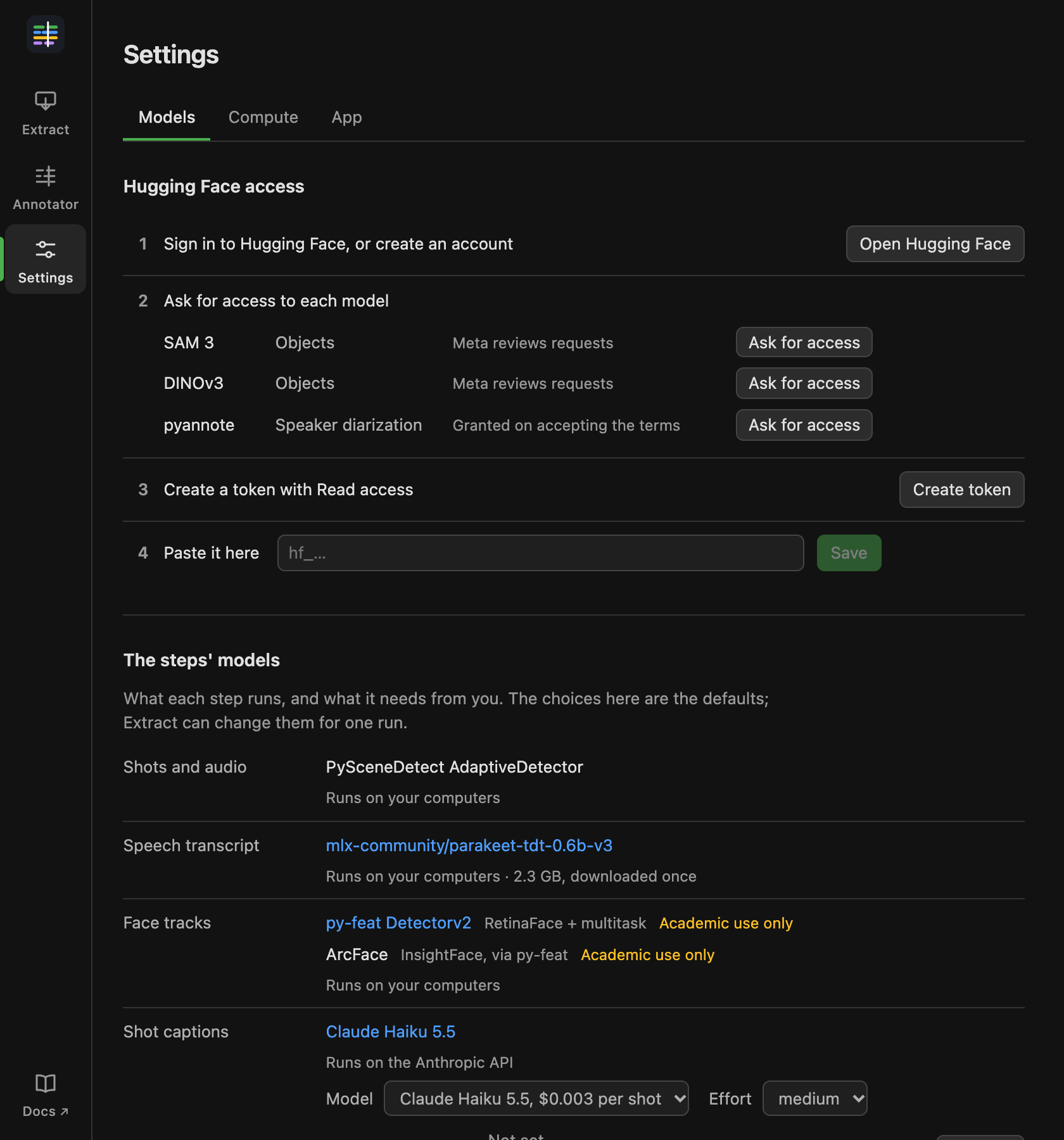
When every model is granted, the section folds to one line. Show steps opens it again.
Compute
This computer says what this computer is and which steps can run on it. Remote servers and Cloud GPU add other machines for runs. See Lab servers and RunPod.
App
Updates shows the app's version, checks for a newer one, and installs it (see Updating). The pipeline's version is shown below it. Documentation opens these pages.